CatalystClientDownload
Launcher + client · Minecraft 1.21.4

Minecraft,
set up for you.

Catalyst installs your mods and keeps them up to date, adds 46 modules to the game, and brings wings, capes and a battle pass - all from one app.

Free to playWindows and macOSMinecraft 1.21.4 with Fabric

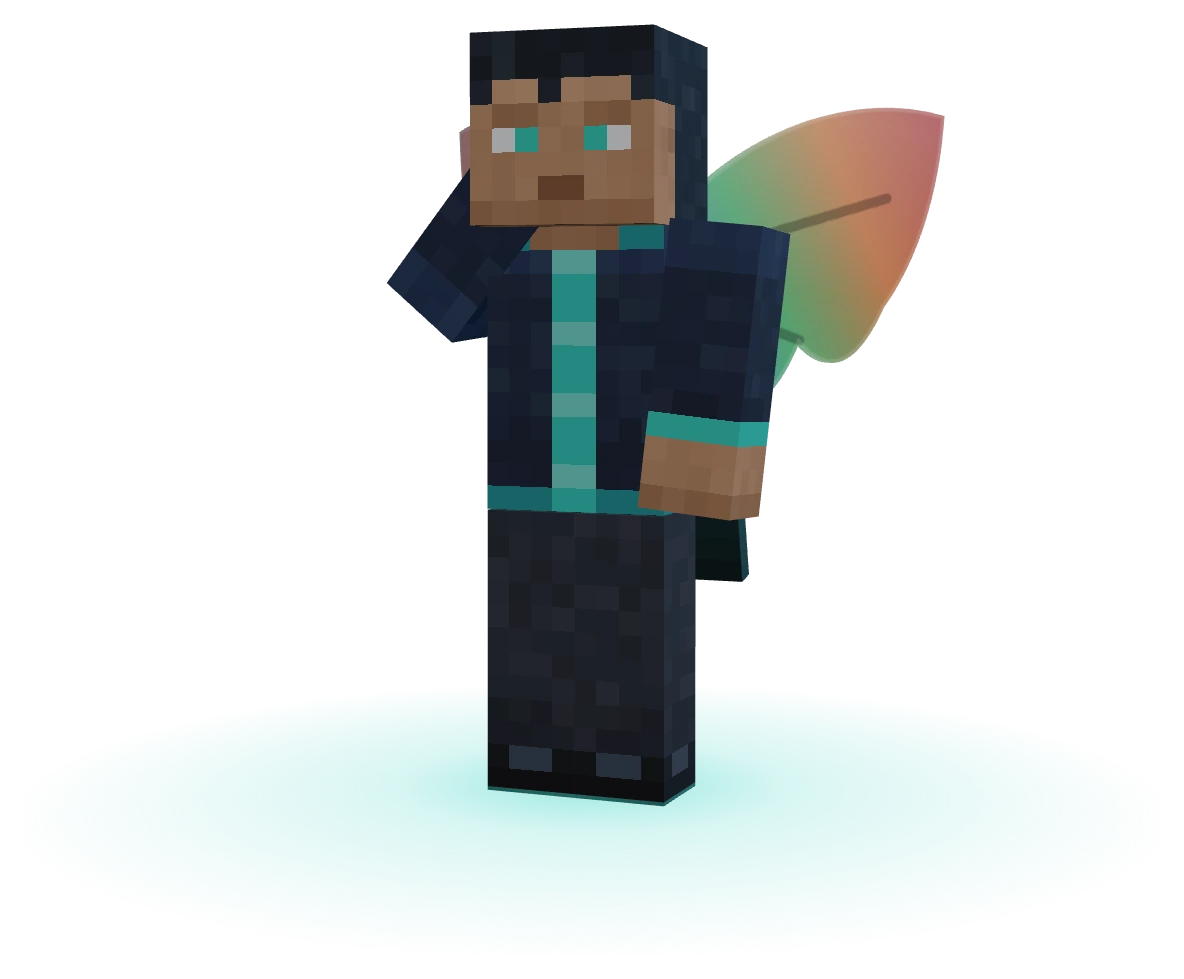
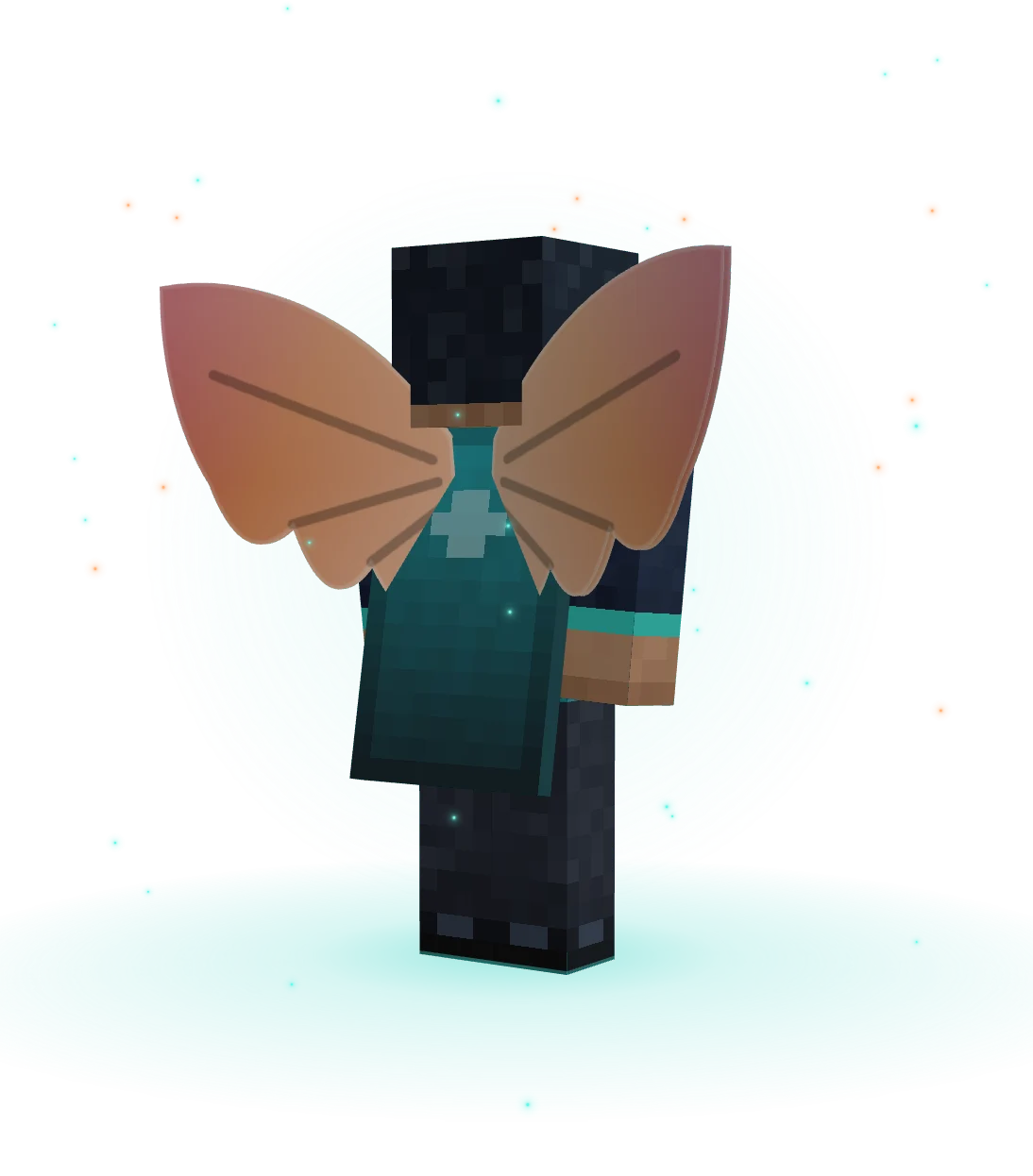
Sculk CapeIt hums when no one is near.Emberfall WingsBattle pass · level 50
SCROLL
What is Catalyst

One app for all of it.

Catalyst is two things that work as one: a launcher that looks after Minecraft for you, and a client that makes the game itself better.

A launcher that sets things up

Profiles, memory, Java and mods - installed with everything they need, checked against your version, and kept up to date.

A client with 46 modules

FPS, CPS, coordinates, a minimap, zoom, waypoints, projectile prediction and more - one Right Shift away.

Cosmetics you can see

Wings and capes from the store, the battle pass and daily rewards - shown in 3D on this site.

Rewards and a community

Coins, codes and a daily calendar - and a site where players design the capes everyone votes on.

Inside the launcher

See it before you download it.

Home

Everything starts on Home.

Launch in one click, and see your play stats, the latest news and today's reward on the way. Stuck? Catalyst Bot answers right there.

  • Launch with the version you picked
  • Play stats, news and your daily reward
  • Customise moves, resizes and recolours every piece
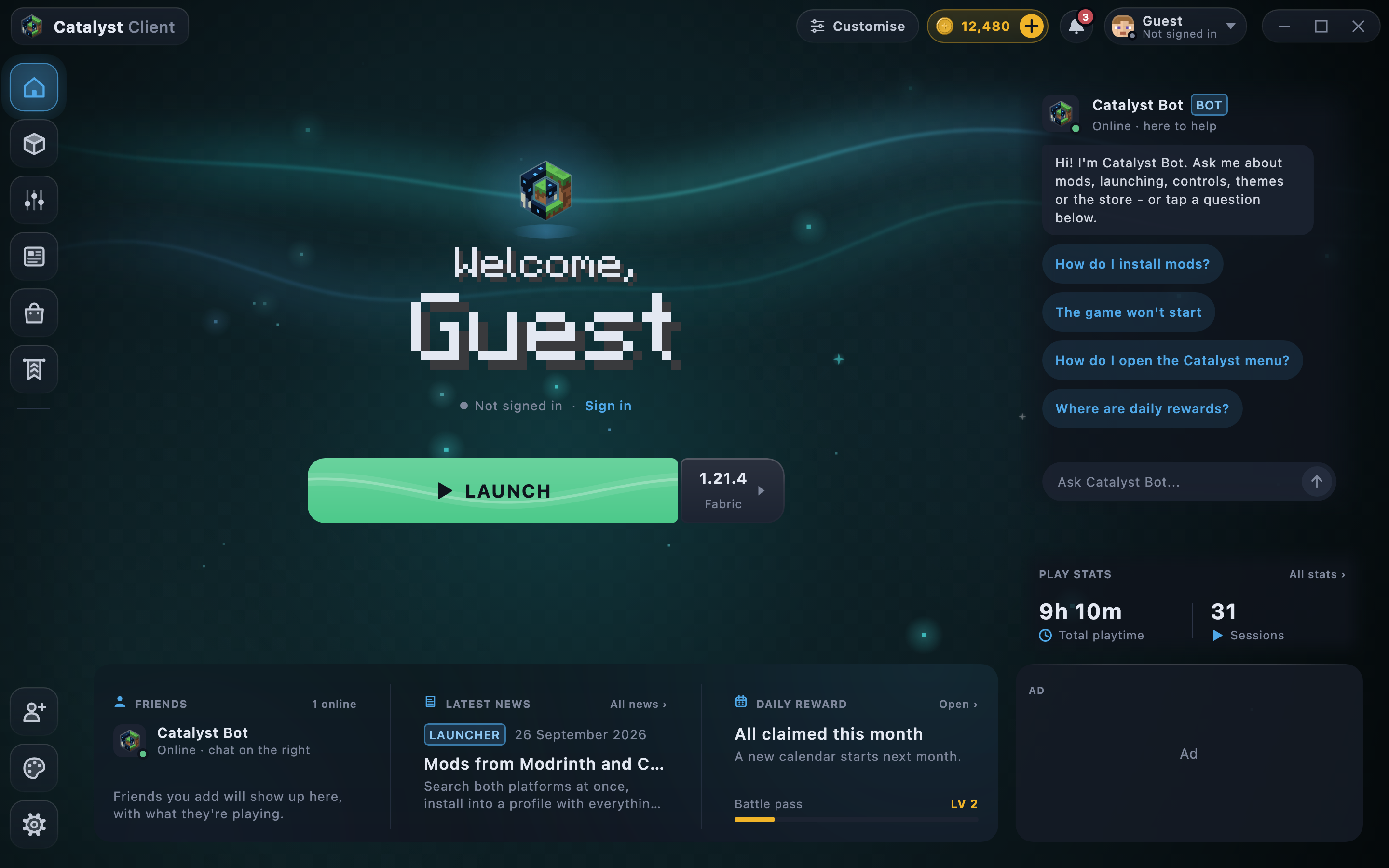
The Catalyst launcher's Home page: the Launch button, Catalyst Bot, play stats, latest news and the daily reward
Mods

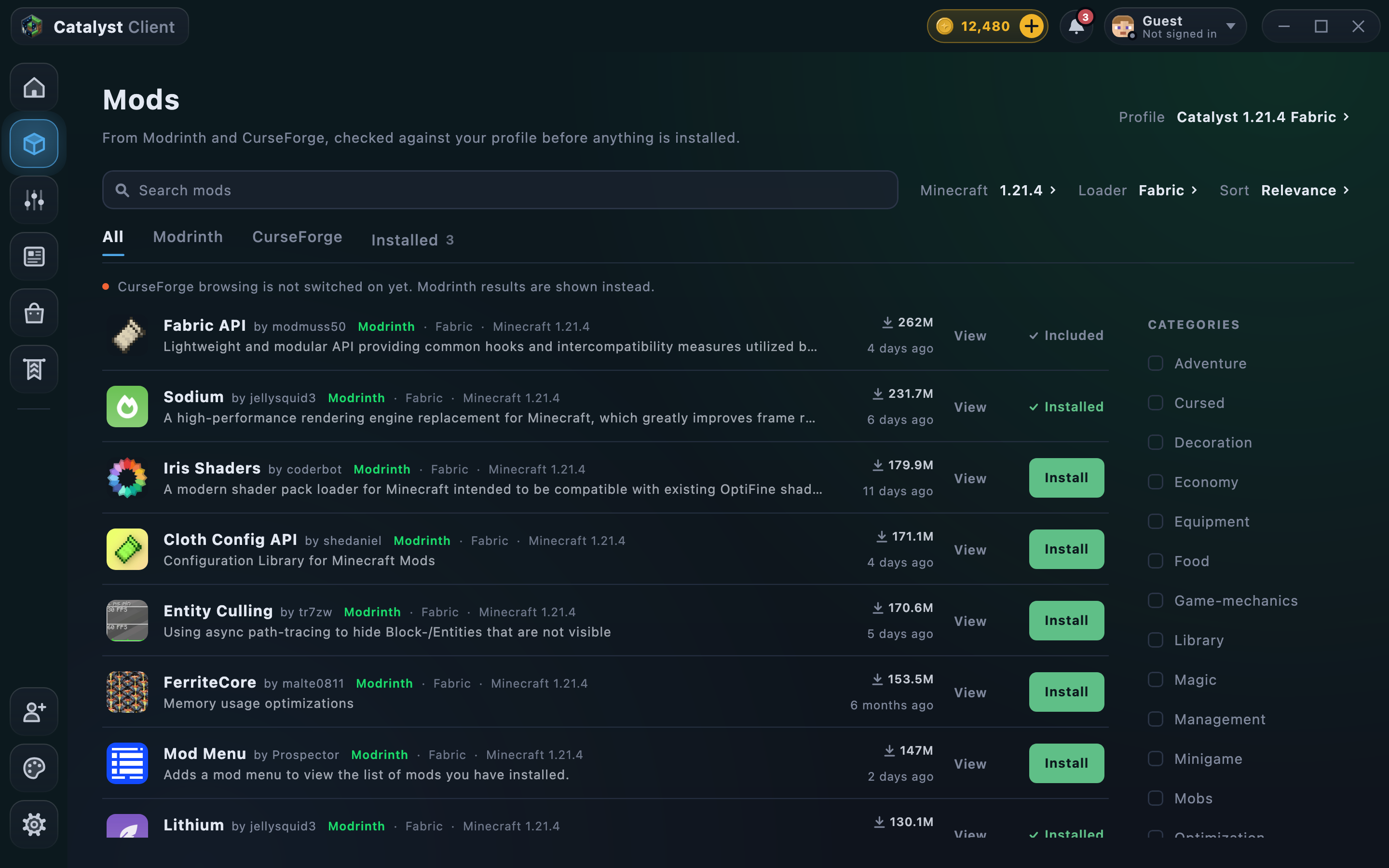
Mods in one click.

Search Modrinth from inside the launcher. Every install is checked against your profile first and brings the mods it needs along with it.

  • Search, sort and filter by category
  • Dependencies installed for you, hashes checked
  • Updates in one click - CurseForge is coming
The launcher's Mods page listing Modrinth mods such as Fabric API, Sodium and Iris Shaders, with Install buttons
Controls

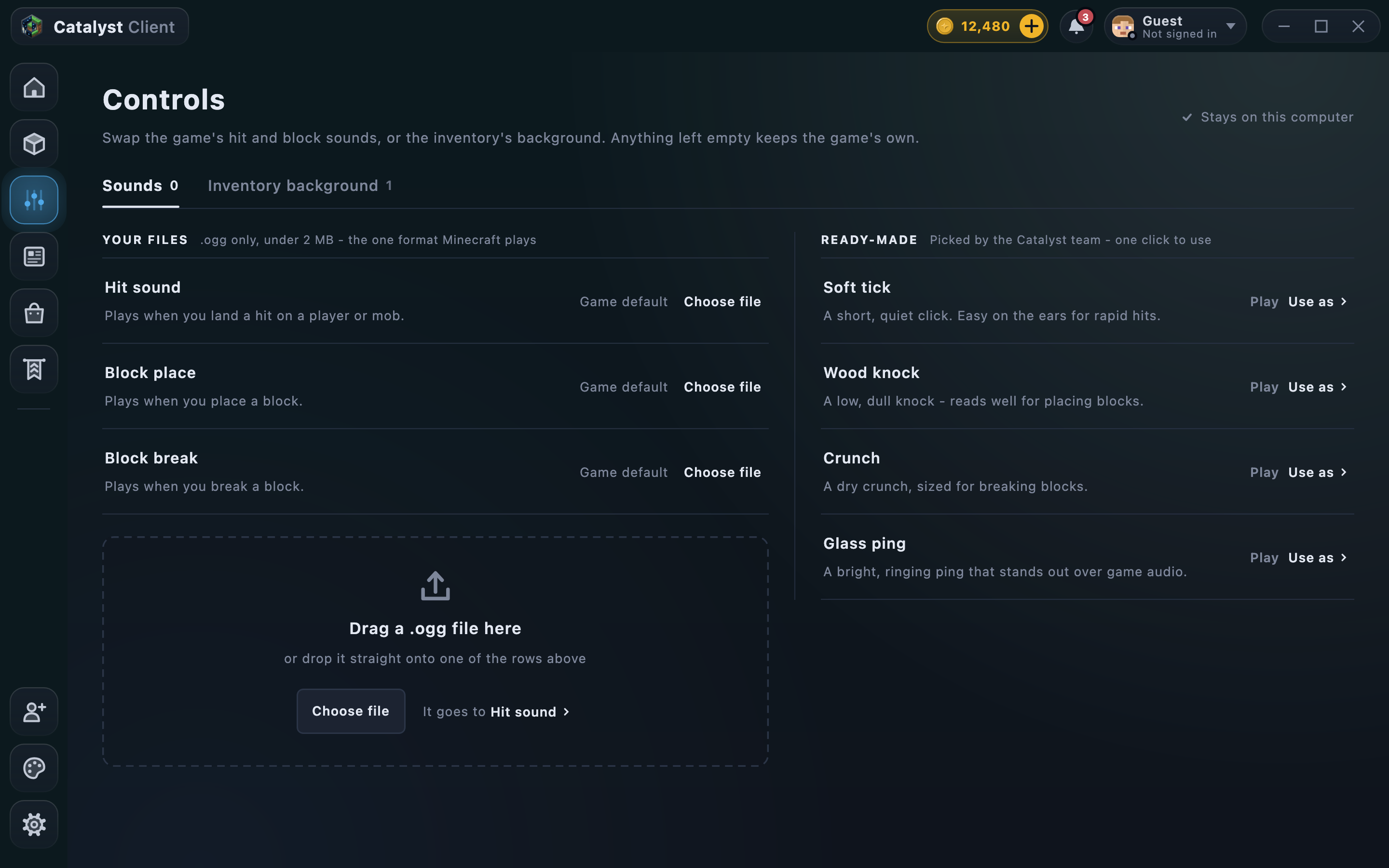
Sounds of your own.

Swap the game's hit and block sounds for your own .ogg files, or pick ready-made ones - and give the inventory a background.

  • Hit, block place and block break sounds
  • Ready-made sounds, one click to use
  • A picture behind your inventory
The launcher's Controls page with custom sound slots and ready-made sounds
Battle pass

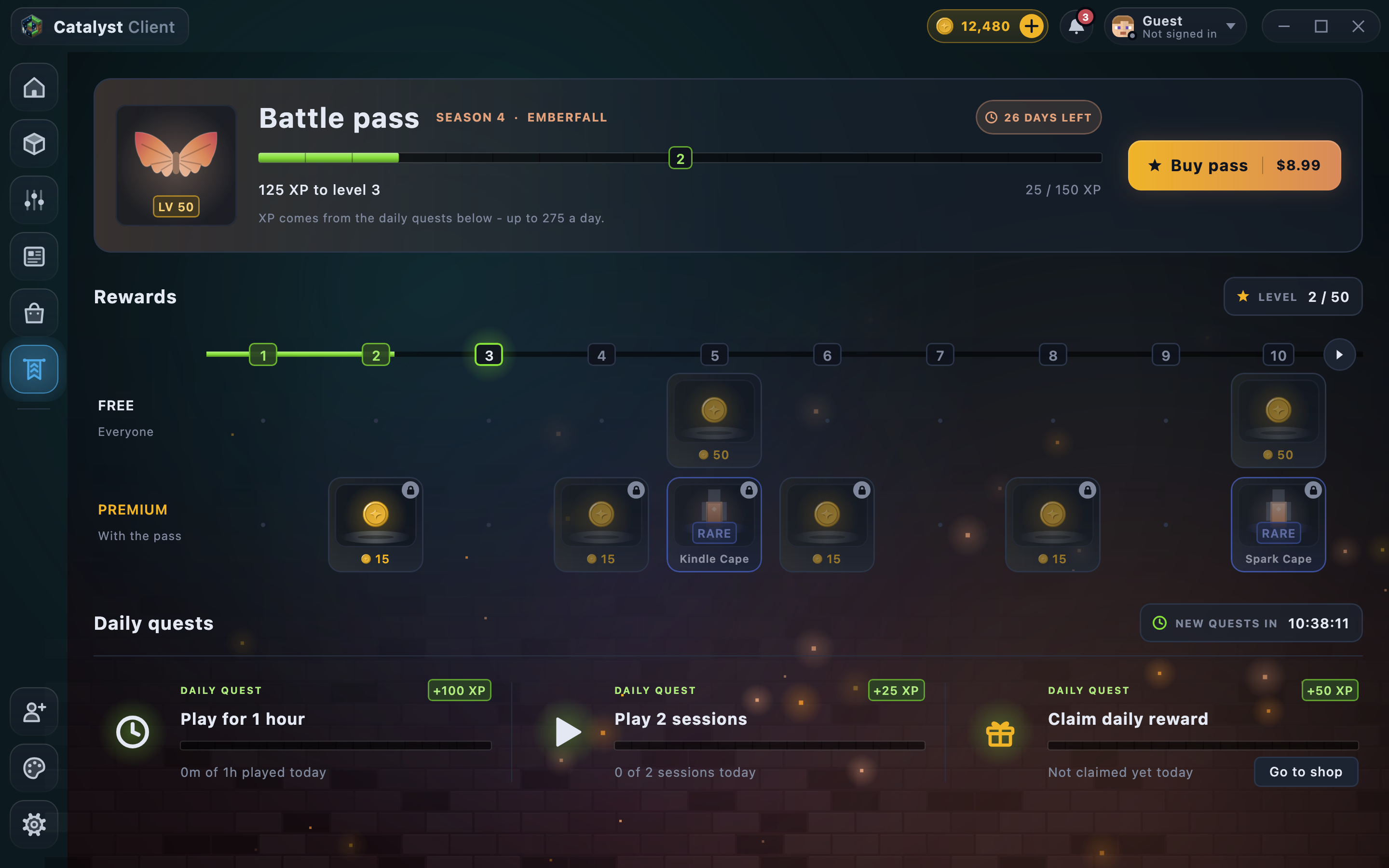
Level up as you play.

Daily quests fill the bar - play an hour, play two sessions, open your daily card - and every level has something on the free lane or the pass.

  • Season 4: Emberfall, 50 levels
  • Up to 275 XP a day from quests
  • The Emberfall Wings at level 50
The launcher's Battle Pass page: the Season 4 Emberfall bar, the free and premium reward lanes, and three daily quests
Features

Everything in the box.

No extra downloads, no folders to find. What Catalyst does, as it does it today.

Mods, one click away

Search Modrinth without leaving the launcher. Every install is checked against your profile, brings the mods it needs and verifies each file. CurseForge joins once it's switched on.

  • Checked against your version and loader first
  • The mods it needs come along
  • Updates in one click

Go on, press Install.

Catalyst 1.21.4 Fabric1 of 6 installed
  • SodiumModrinthInstalled
  • Iris ShadersModrinth
  • Cloth Config APIModrinth
  • Entity CullingModrinth
  • FerriteCoreModrinth
  • Mod MenuModrinth

Fast from the first launch

Sodium, Lithium and Dynamic FPS come installed, and stay on their newest build.

SodiumLithiumDynamic FPS

Profiles that keep mods apart

Each profile has its own mods. A mod that doesn't fit says why - and offers to make a profile it does fit.

Your colours

8 colour schemes - or one built from any colour. The client's menu follows.

Your sounds

Your own hit and block sounds, and a picture behind your inventory - set in the launcher, heard in game.

Help, built in

Catalyst Bot answers the usual questions - mods, crashes, the menu, rewards - right on Home.

Memory and Java, sorted

Give the game 2 to 16 GB, pick a Java or let Catalyst find one, and choose the game's window size.

Inside the game

46 modules, one Right Shift away.

Press Right Shift in game and every module is there - search them, star them, switch them on. Scroll down and see them all.

  • Armour Status
  • Boss Bar
  • Cooldowns
  • Coordinates
  • CPS
  • Custom Crosshair
  • Eat Time
  • FPS
  • Health Helper
  • Hotbar Animations
  • Minimap
  • Ping
  • Playtime
  • Saturation
  • Projectile Prediction
  • Totem Pops & Health
  • Custom Hand
  • Damage Numbers
  • Fire Overlay
  • Hitbox Outline
  • Inventory Colour
  • Item Physics
  • Particles
  • Shield Size
  • Block Outline
  • Block Overlay
  • Clear Water
  • Custom Sky
  • Ender Pearl Trail
  • Fog Customiser
  • Free Look
  • Fullbright
  • Time Changer
  • Waypoints
  • Zoom
  • Auto Sprint
  • Auto Text
  • Clear Inventory
  • Custom Controls
  • Hide Own Info
  • Item Highlighter
  • Reminder
  • Shulker Preview
  • Slot Lock
  • Take / Deposit
  • Toggle Sneak/Sprint

HUD 14Visual 8PvP 2World 11Misc 11

How it works

Three steps to playing.

  1. 01

    Download Catalyst

    Get the launcher for Windows or macOS. It runs Minecraft 1.21.4 with Fabric for you.

  2. 02

    Pick your profile and mods

    Catalyst 1.21.4 Fabric is ready from the start, with Sodium, Lithium, Dynamic FPS. Add more from the Mods page.

  3. 03

    Press Launch

    Your mods load, your modules are waiting behind Right Shift, and your cosmetics come with you.

Catalyst Designs

Made by players.

Draw a cape right in your browser or upload one. A person checks every design, players vote, and the winners become cosmetics.

  1. Draw or upload a 64×32 cape
  2. A person checks it - nothing is shown before
  3. Players vote - the winners go into the game
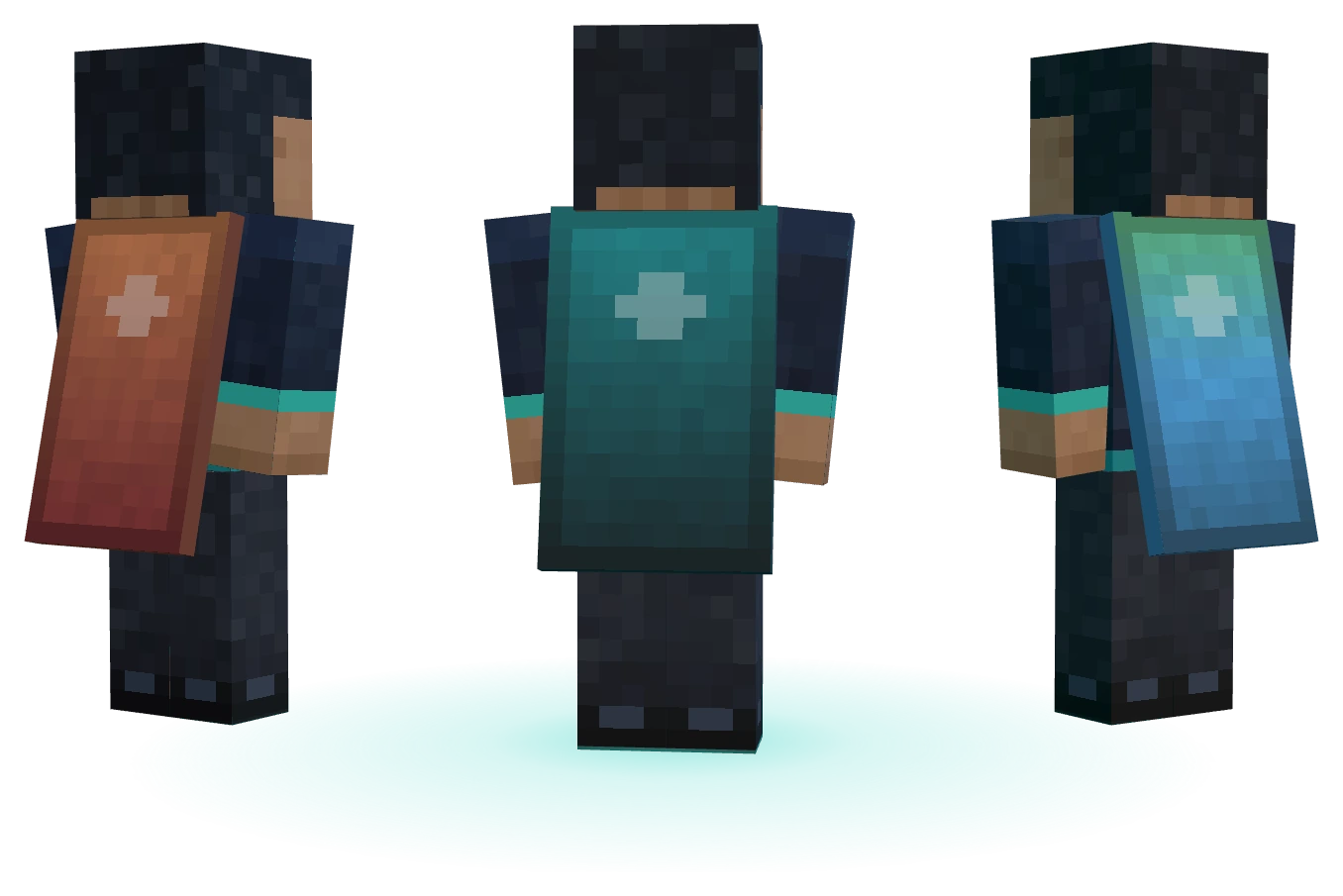
Three players seen from behind, wearing the Emberfall, Sculk and Aurora capes
Ready when you are

Play better.

Your mods, your modules and your look - in one launcher. Free to play.

Windows macOSMinecraft 1.21.4 with Fabric

A player in the Sculk Cape and Prism Wings, waving